

Firebase Studio: It Created YouTube Web Version Clone In Just 30 Minutes!

Firebase Studio takes less then 30 minutes to create a clone website similar to YouTube. The Google’s Firebase Studio does it job with a speed of light.
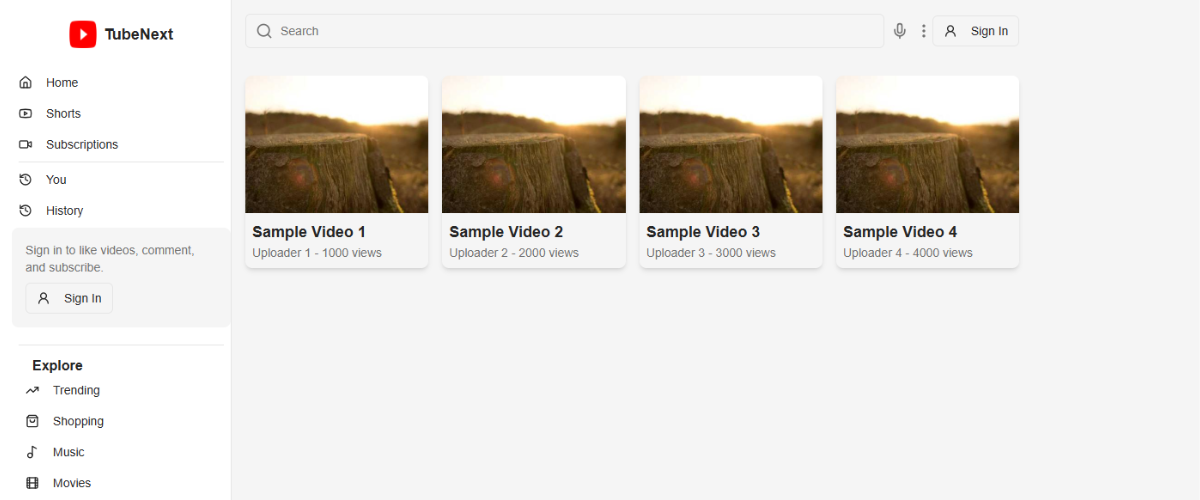
Here, I have shared a snippet of a clone version of YouTube named “TubeNext” which I created a day ago.
I have to say that Google introduced its most impressive generative AI for developers, competing Windsurf and Cursor AI.
Those who don’t know about Firebase Studio. It is a browser-based development environment powered by generative AI from Google to help developers build full-stack applications from text prompt.
The Firebase studio is free for everyone and it is a cloud-based app-building tool powered by Gemini. It has several features which are discussed below.
Firebase Studio features a centralized console that provides developers with a streamlined interface to manage all Firebase services. You can set up your project, integrate with mobile or web platforms, and much more.
Firebase offers a suite of powerful tools that simplify backend development. Everything from prototype to app launch easily handle by Firebase. It has cloud functions for serverless backend logic, cloud storage for secure file handling, and Firebase hosting for fast.
Firebase Studio includes advanced monitoring features like Google Analytics, which provides deep insights into user behavior. With Crashlytics helps detect and fix crashes in real-time, while Performance Monitoring tracks app speed, load times, and other metrics.
Firebase ensures app safety and reliability with features like App Check, which verifies legitimate app access to backend resources. With this feature you can design and launch error-free application for your clients.
Let’s get back to my project discussion. Continue reading to learn how I used Firebase Studio to clone YouTube-like website in just 30 minutes.
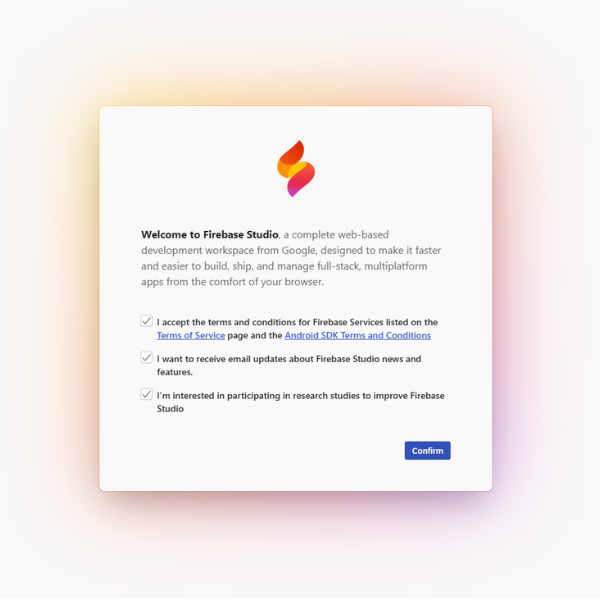
Open your browser and search for “Firebase Studio” and open the website. Click on Try Firebase Studio button. Confirm with all checkbox and you are welcome to the interface.
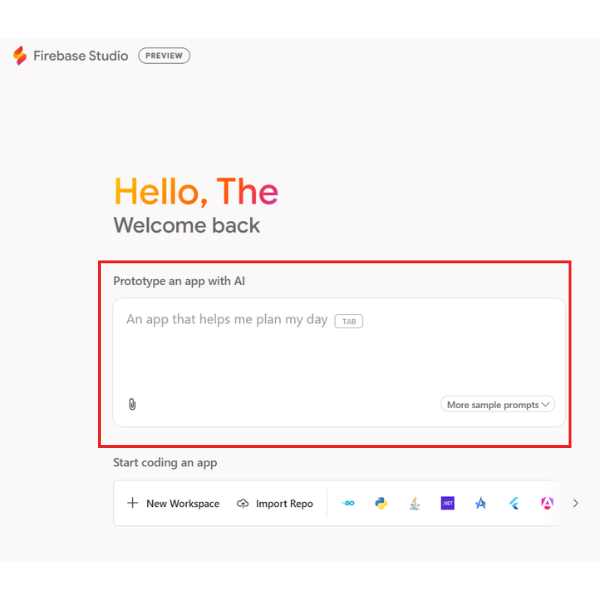
There are two ways to get started with Firebase Studio. Either choose from ready-made templates or use the app prototyping agent to create your app from scratch. For cloning, start from scratch. Ideate your thoughts to the AI Agent and begin prototype with AI.
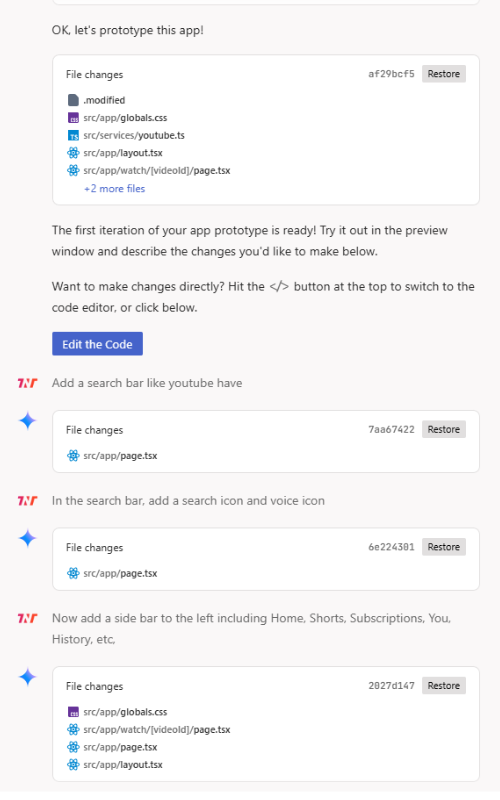
When you share your idea with AI Agent it begin planning with guidelines that it may use thoroughly. Edit the guideline if you want AI agent to follow specific command.
Share your idea piece by piece to get the things developed quickly and smartly. For each prompt you enter, the AI agent understand it and make the code happening in front of your eyes.
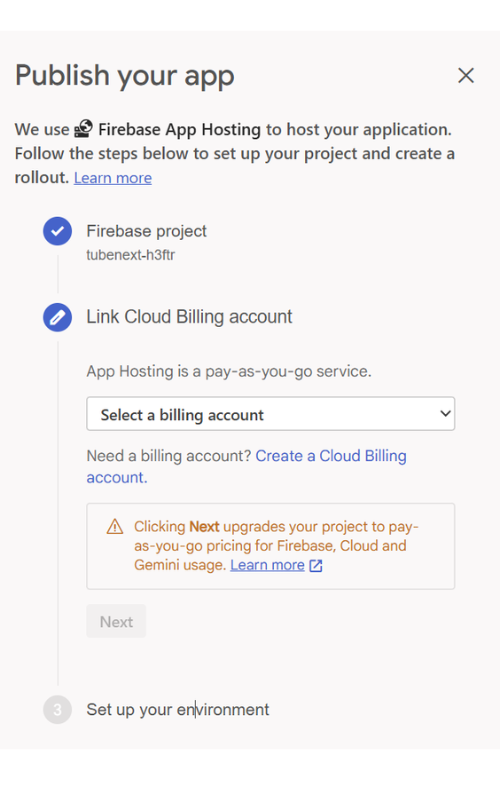
After done with prototyping from your idea. Hit “Publish” button where Firebase Studio will immediately launch your app through Firebase App Hosting, providing you with a sharable live URL for testing and feedback.
To publish your app, you’ll need following things:
If you want to give your application pleasure and control. Hit code button to instantly open the app in a coding workspace where you can implement more features, code functions, link API, or modify the architecture using tones of languages and frameworks you prefer.
Also read: Everything You Need To Know About CivitAI (2024 Guide)Well, Firebase Studio is impressive! If you’re a developer, you won’t stress your brain for errors handling or even launching an app. With Google’s Firebase studio app-building tool, it can be done superfast and intelligently.
In the end, if you’re curious to design an app for your business. It’s the time because Firebase Studio is here to help in everything! Do give it a try.
Caution: Generative Code Features in Firebase Studio are an emerging technology and may sometimes display inaccurate or offensive information that doesn’t represent Google’s views, so use code with caution. Do not rely on responses generated by Firebase Studio Generative Code Features as medical, legal, financial, or other professional advice.
Firebase offers a generous free tier which includes many core features like Prototyping, Firestore, Analytics, and Hosting.
Yes, Firebase Studio supports cross-platform development. You can connect and manage Android, iOS, and web applications from a single dashboard.
Full-stack mobile apps, web applications, real-time chat applications, E-commerce website, Game comparison application, and sensor monitoring apps, and much more.
You don’t need advanced coding skills to get started with Firebase Studio, but having some basic programming knowledge definitely helps.
Disclaimer: The information written on this article is for education purposes only. We do not own them or are not partnered to these websites. For more information, read our terms and conditions.
FYI: Explore more tips and tricks here. For more tech tips and quick solutions, follow our Facebook page, for AI-driven insights and guides, follow our LinkedIn page.

High-quality market intelligence is precious, fragmented, and often locked..

If your legacy Java application collides with large datasets, batch processing..

Customer support systems are designed to streamline communication, decrease..

Personalised PAT test labels are crucial elements in maintaining compliance and..

In today’s retail environment, in-store execution has become one of the most..

Paid guest posting is commonly positioned as a fast-track solution to enhance..