

5 Things To Check Before Buying Glasses With Built-In Cameras

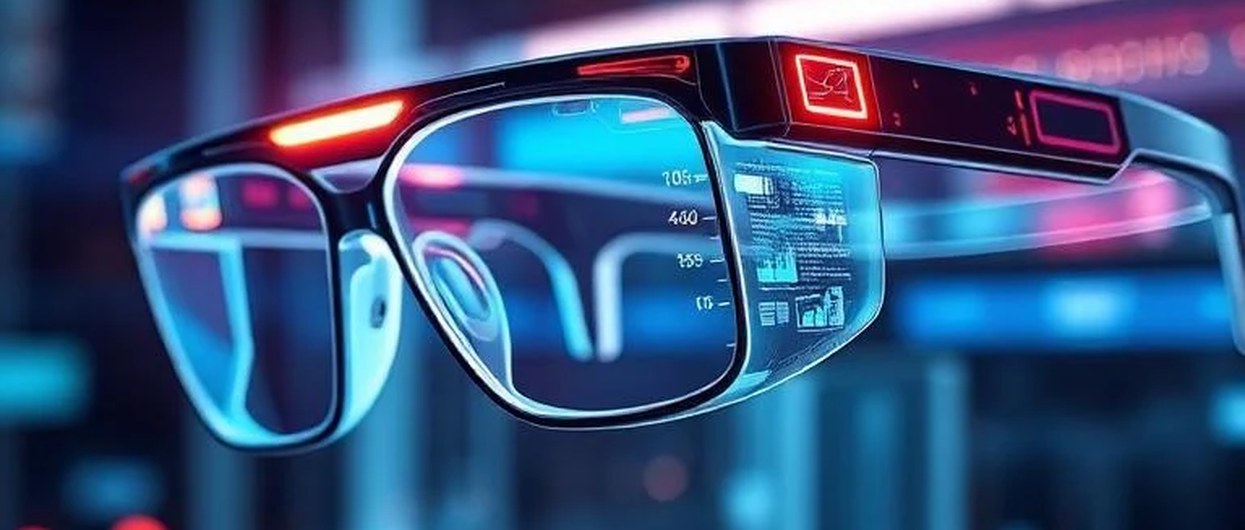
Glasses with built-in cameras aren’t as unusual as they were a few years ago. More people are buying them, and manufacturers are bringing out new models with different features and prices. In the first half of 2025, smart glasses shipments rose by 110% compared with the same period a year earlier, with Meta accounting for 73% of shipments. The market is also expected to grow from USD 3.2 billion in 2026 to USD 14.4 billion by 2033, at an annual growth rate of 24.2%.
Having more choice is good, but it also makes shopping a little harder. Two pairs of camera glasses might look almost identical and still give you very different results. And the features that sound impressive in an advertisement aren’t always the ones you’ll appreciate most after a few weeks of use.
Before spending your money, there are five things worth looking into. They apply whether you’re considering an expensive pair or something more affordable.
Camera resolution tends to get most of the attention when manufacturers advertise smart glasses. It’s an easy number to compare, but it doesn’t tell you everything about the photos and videos you’ll get.
A camera with a higher resolution can still produce disappointing footage if the lighting isn’t good or the image keeps shaking.
Sensor size is one thing to check. Larger sensors can generally collect more light, which helps when you’re recording somewhere that isn’t brightly lit. Think about indoor gatherings, evening walks, or restaurants where the lighting is quite dim. These are all places where small cameras can struggle, leaving videos looking grainy or losing detail.
Stabilization is another important detail. When you record with your phone, you can try to hold it steady. Glasses are different. The camera moves with your head, so even a quick turn or a few steps can make the footage shaky. Good stabilization helps smooth out those movements.
You’ll also want to look at the field of view. This controls how much of the scene appears in your recording. If it’s too narrow, you might miss things happening around you. Too wide, and objects near the edges can start looking stretched or distorted.
None of these details is particularly easy to judge from a specification sheet.
Your best bet is to watch videos recorded with the glasses in different situations. Look for footage taken indoors, outside, and in low light. Pay attention to what happens when the person wearing them walks or turns their head.
A few real recordings will tell you far more about the camera than a long list of specifications.
Also read: Top 10 Internet Providers In The World | List Of Fastest ISP ProvidersIt’s easy to spend all your time comparing cameras and forget about sound. But imagine recording a conversation or a memorable moment, only to play it back and find that you can barely understand what anyone is saying.
Microphone quality matters just as much as the picture, particularly if you plan to record videos with people speaking.
Different glasses handle sound in different ways. Some have microphones positioned to pick up the wearer’s voice more clearly, while others capture more of the noise and activity happening nearby.
Which one works better depends on what you’re recording.
If you want to narrate videos or record conversations, you’ll probably care most about clear voices. If you’re filming a trip or an outdoor activity, you might prefer to hear more of the surrounding sounds. They can make a recording feel closer to what you actually experienced.
Then there are the speakers.
Most camera glasses use small, open-ear speakers built into the arms of the frames. They’re convenient because you can listen without putting earbuds in, but audio quality varies between models. Some sound clear enough for calls and directions, while others are harder to hear when you’re outside.
Don’t judge audio quality by speaker specifications alone. Frame design matters, too, since the position of the speakers can affect how clearly you hear sound. When comparing options such as Oakley Meta frames with connected features, pay attention to how the glasses sit around your ears and whether you can hear calls clearly without turning the volume all the way up.
It’s also worth checking how well the microphones handle background noise. If you’re planning to use the glasses while walking through busy streets or spending time outdoors, clear audio can make the difference between a useful recording and one you won’t want to keep.
Battery life is one of those specifications that can look great until you start using the device regularly.
A manufacturer might advertise four hours of battery life, but how long the glasses actually last depends on what you’re doing with them.
Listening to music, taking an occasional photo, and recording video all use different amounts of power. If you’re running the camera continuously while using other connected features, the battery will drain faster than it would during lighter use.
So rather than focusing only on the biggest number in the product description, think about what you’ll be doing most often.
For example, someone who mainly listens to audio and records a few short videos during the day may be comfortable with a model offering four hours of active camera use and an efficient standby mode. With breaks between activities, it could be enough for a twelve-hour day.
Recording an entire hike or bike ride is a different story. Continuous video, especially alongside other active features, can use up that same battery much faster, potentially in less than two hours under demanding conditions.
Charging is worth thinking about as well.
Some glasses come with a charging case, which is handy when you’re traveling or spending most of the day away from home. You can put them away for a while and get some extra battery life without looking for an outlet.
Check how long they take to recharge and whether they need a special charging cable. Having another device with its own connector isn’t ideal if you’re already carrying chargers for your phone, laptop, and other electronics.
These details might seem minor when you’re shopping, but they’re the kind of things you’ll notice after using the glasses for a while.
Also read: How To Access Flags In Chrome + 5 Best Chrome Flags SettingsThere’s not much point in buying camera glasses with impressive features if you don’t enjoy wearing them.
They might feel perfectly fine when you first put them on, but that doesn’t mean they’ll still be comfortable after a couple of hours. And unlike ordinary glasses, camera models have extra hardware built into the frames.
That added weight can affect how they sit on your face.
Pay attention to where the weight is distributed. Some glasses feel heavier toward the front, which can cause them to slowly slide down your nose. Others spread the weight more evenly, making them easier to wear for longer periods.
The nose bridge is another thing to check. If the glasses don’t fit properly, you may find yourself pushing them back into place throughout the day.
That isn’t just uncomfortable. Because the camera is built into the frame, every time the glasses shift, the camera’s position changes too.
This matters even more if you’re planning to wear them while walking, running, or doing other activities. A loose frame can make your footage less stable, no matter how good the camera’s built-in stabilization is.
Try to spend more than a minute or two wearing a pair before deciding whether it fits.
If possible, keep the glasses on for at least thirty minutes. Walk around, look up and down, and move your head as you normally would. If you’re buying them for sports or outdoor activities, try movements similar to what you’ll be doing.
A quick try-on in front of a mirror won’t always reveal the problems that show up during regular use.
The camera, speakers, and frame usually get the most attention when people compare smart glasses. The companion app is easier to overlook, even though you’ll probably use it whenever you want to access your recordings.
Before buying, find out how photos and videos are transferred from the glasses to your phone.
Does everything sync automatically, or do you need to start the transfer yourself? Can you organize recordings by date or activity? And how easy is it to find a particular video once you’ve built up a collection?
These things matter more than you might expect. If you’re recording regularly, you don’t want to spend ages scrolling through files just to find one clip.
It’s also worth checking whether transferring large videos drains your phone or glasses battery noticeably. Some apps handle this better than others.
Privacy is another issue, and it’s one you shouldn’t leave until after you’ve bought the glasses.
According to the Atlantic Council’s analysis of smart glasses and US privacy law, existing privacy rules haven’t fully caught up with camera-equipped eyewear. Laws differ between states, and the US doesn’t have one comprehensive federal privacy framework covering every aspect of how manufacturers collect, store, and share data from these devices.
That leaves buyers with a few important questions to ask.
Where does your footage go after you record it? Is it stored on your phone, uploaded to the cloud, or both? Can the manufacturer access your recordings? How long is that information kept, and can you delete it when you want to?
You should also check whether the app collects or processes biometric information from recorded footage.
These questions are worth asking even if you only plan to use the glasses occasionally. After all, you may be recording other people as well as yourself.
The FTC’s guidance on privacy and data security also discusses how companies handle consumer information, including the importance of responsible data collection, sharing, and retention. Reading a manufacturer’s privacy policy might not be the most exciting part of buying new technology, but it’s better than finding out later that your recordings are being handled in ways you didn’t expect.
A great camera won’t make up for an app that’s difficult to use or unclear privacy practices. Sometimes, a pair with slightly more modest specifications but reliable software and straightforward data controls will be easier to live with.
Also read: Top 10 IT Skills in Demand for 2021There are plenty of camera glasses to choose from in 2026, and it’s easy to get distracted by impressive specifications or a familiar brand name.
Before making a decision, look at how the camera performs in everyday conditions, whether the microphones and speakers are good enough for your needs, and how long the battery lasts when you’re actually using the features you care about. Comfort matters just as much, especially if you’ll be wearing the glasses for hours.
Don’t forget the companion app or what happens to your recordings once they’re saved.
A little research before buying can spare you the frustration of discovering that your new glasses don’t quite do what you expected. The right pair isn’t necessarily the one with the longest list of features. It’s the one that works well for the things you’ll actually use it for.
Tuesday August 12, 2025
Friday July 4, 2025
Thursday June 12, 2025
Tuesday June 10, 2025
Wednesday May 28, 2025
Monday March 17, 2025
Tuesday March 11, 2025
Wednesday March 5, 2025
Tuesday February 11, 2025
Wednesday January 22, 2025
The Galaxy S25 Edge is officially the thinnest model in Samsung’s S25 line...

Drones are fascinating pieces of technology with a wide range of applications..

Explore how AI headphones are transforming lifestyle from smart noise..
Doesn’t have time to read this blog, listen to audio: Your browser does..
While the tech industry is the main concentrate of the year’s biggest..

One of the iPhone 16 and iPhone 16 Pro’s most advertised new features is..